Adding fields
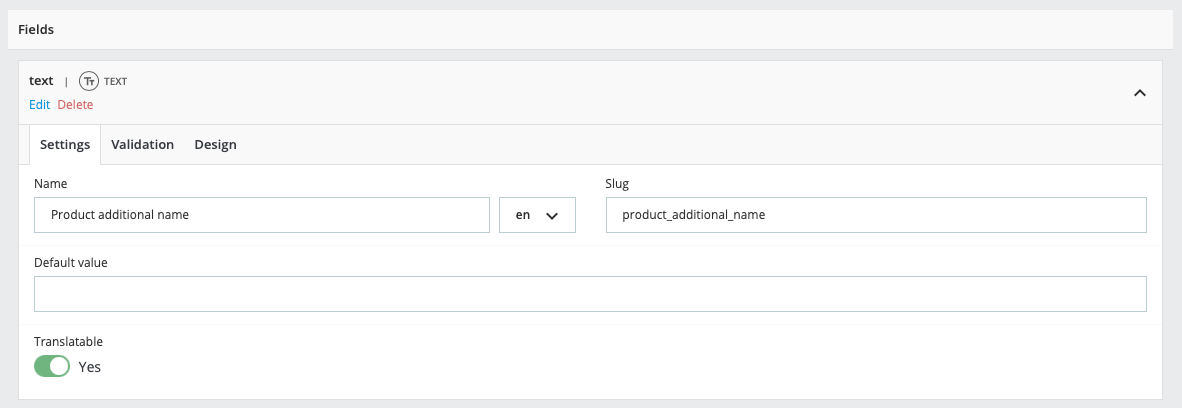
After creating a field group, you can add fields to it. Each field has several configurable settings, with three required parameters: type, name, and slug. The name is the input label displayed to the user, while the slug is the technical identifier used by developers to retrieve the data. Other settings depend on the field type and are categorized into three sections: Settings, Validation, and Design.
Required parameters
- Name: The label displayed to the user in the form.
- Slug: A unique technical identifier for the field within a field group or subgroup, used by developers to retrieve the data.
Steps to add a Field
-
Access the Field Group:
- Go to the Prestashop back office.
- Navigate to "CFG" and "Field groups" on the "Improve" menu.
- Edit the field group to which you want to add fields.
-
Add a New Field:
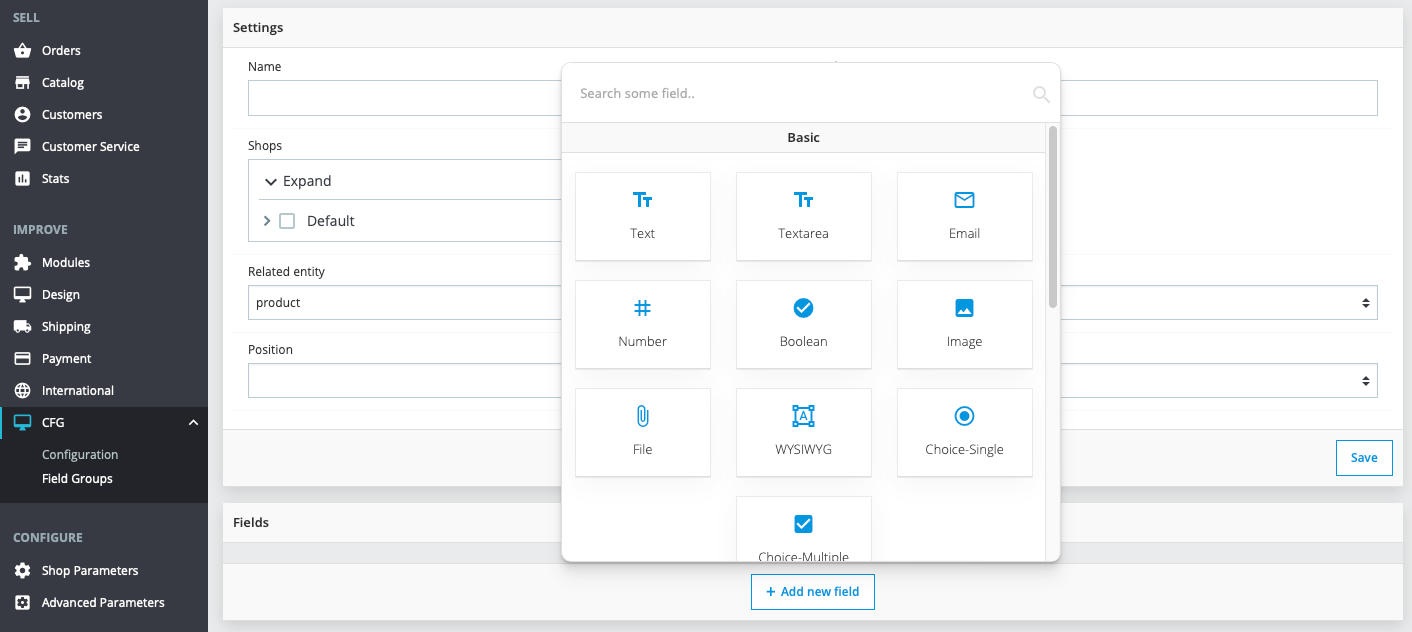
- Click on "Add new field" in the field group configuration page.
- Choose the field type (e.g., Text, Email, Number).
- Configure the Field:
- Fill in the required parameters: Name, and Slug.
- Configure additional settings under "Settings," "Validation," and "Design" as needed.
- You can find more details about field types and settings in the documentation.
- Save the Field:
- Save the field group.